HZ-TextUi — FiveM 3D TextUI & Target
The target everyone runs, in your colours
Excl. tax · calculated at checkout
One purchase covers every server on your Cfx.re account.
What is HZ-TextUi?
Every server runs the same target. The same white box, the same three dots, the same prompt players have been looking at for years.
HZ-TextUi is that target, in your colours.
It is a FiveM target and 3D TextUI that answers the APIs your scripts already call, and puts the look of every interaction prompt under your control — from an editor in your admin panel, not a config file you edit blind.
Your scripts don't change
HZ-TextUi answers the ox_target, qtarget and qb-target APIs: 24 exports, same names, same arguments. Install it, delete nothing, rewrite nothing.
Some scripts check for the resource by name instead of calling the export. For those, two empty compatibility resources ship in the package — ox_target and qb-target. Move one into your resources and even those scripts start.
The prompt is drawn by the game
No web page paints your interaction. The key, the label and the option list are native text and sprites in the 3D world.
The only HTML in the resource is a transparent reticle that never takes focus. The player keeps full control of the game while aiming — there is no moment where the mouse is captured by an interface.
You draw it yourself
The TextUI Designer sits in your admin panel — the hz_lib panel, under TextUI. Everything else in HZ-TextUi runs without it.
29 shapes
Eight for the label pill, eleven for the key button, ten for the world pin. Pick one per element.
16 presets, rendered live
5 whole-look presets — glow, chamfer, hexagon, outline, soft — and 11 colour presets, all rendered in a gallery over a real game frame, so you see each one before you click it.Everything else
Fill, glow, corners, border, inner margin, and a raw HTML/CSS box if you want to go further. Publish and the sprites are rebuilt as PNG.
The 5 text colours — the key letter, the label, the counter and the two option rows — apply live, without a restart. The editor itself speaks 7 languages.
Aim, then scroll or click
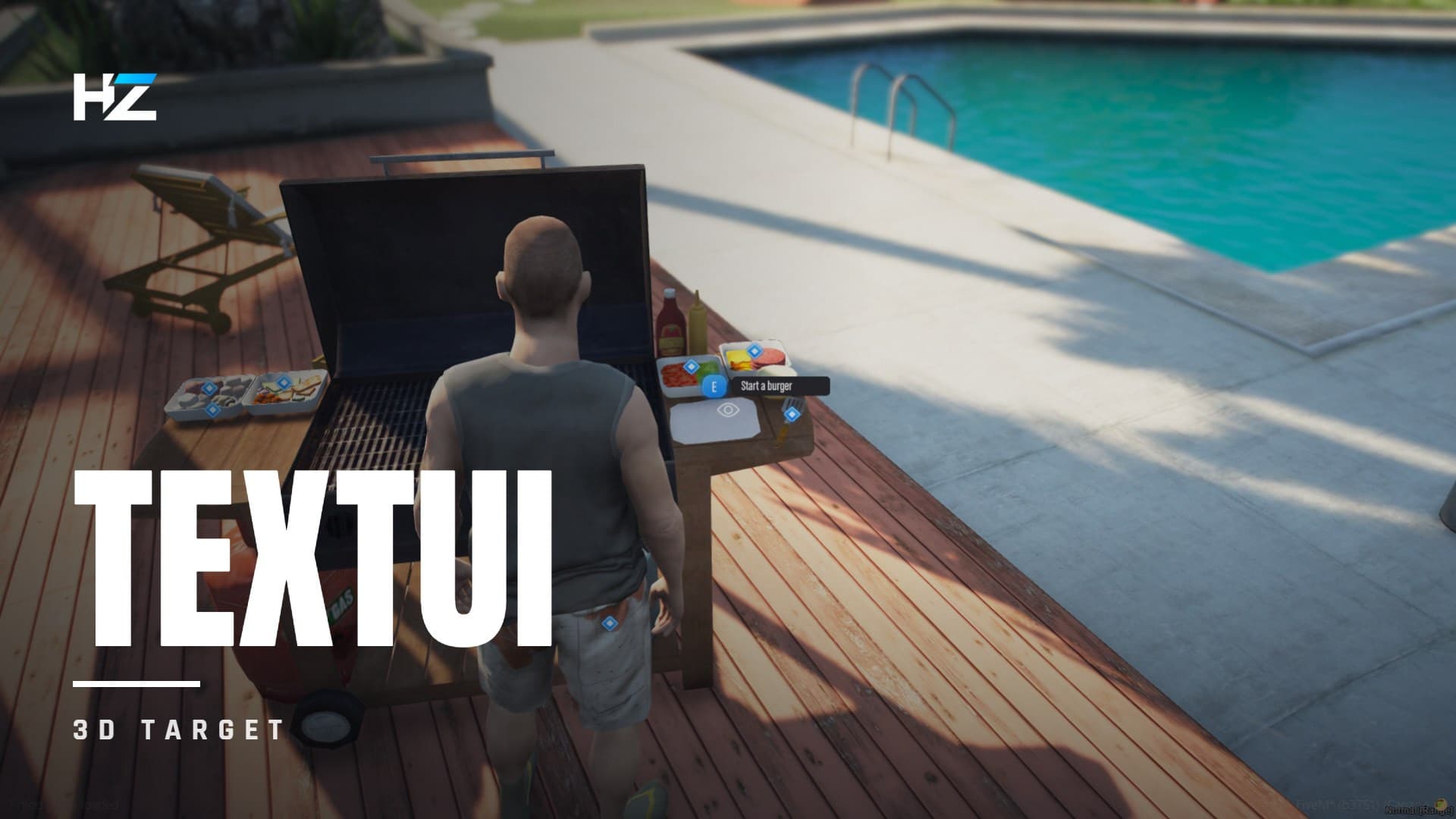
Hold the key and a world pin turns into a prompt.
One option, and it validates with E. Several, and the player either scrolls the wheel to highlight one, or lets a native mouse cursor appear and clicks it. No NUI focus either way — the camera stays yours. Submenus drill down and come back.
Where an aim model earns its keep: HZ-Cook puts four ingredient bins, two sauce bottles and a spatula on one shelf, all placed without collision so players don't walk into them. Selecting what is drawn on screen, and being able to widen aimRadius, is the difference between catching the bin and catching the table under it.
It runs when it shows
The detection loop is created when you press the key and destroyed when you release it. Nothing scans the world while the key is up.
Framework agnostic
ox_core, QBX, ESX and ND_Core are auto-detected for thegroups and job filters, and it runs standalone too.
9 convars cover the key, the reticle and the aim radius — and the ox_target convar names are read as a fallback, so a server migrating from it keeps its settings.
Compatibility
- Frameworks — ESX, QBCore, QBox, ox_core, ND_Core, Standalone
- Answers the API of — ox_target, qtarget, qb-target
- Requires — ox_lib
- TextUI Designer — needs
hz_lib, the HZ admin panel. The target itself does not - Updates — lifetime
Frequently Asked Questions
Complete your setup
These scripts share hz_lib — they install and configure together.