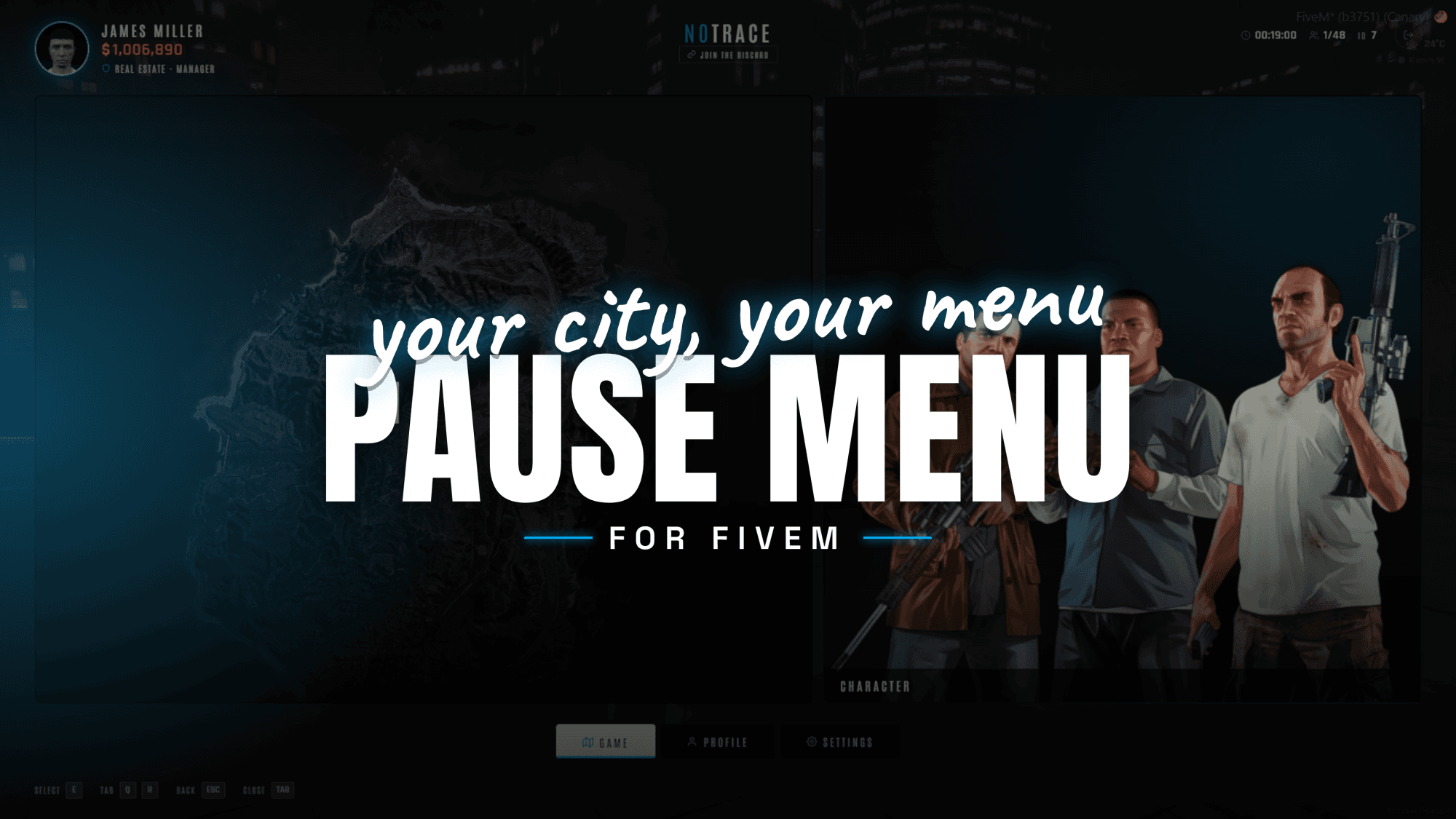
HZ-PauseMenu
A modern pause menu built for your server
Excl. tax · calculated at checkout
One purchase covers every server on your Cfx.re account.
Product Features
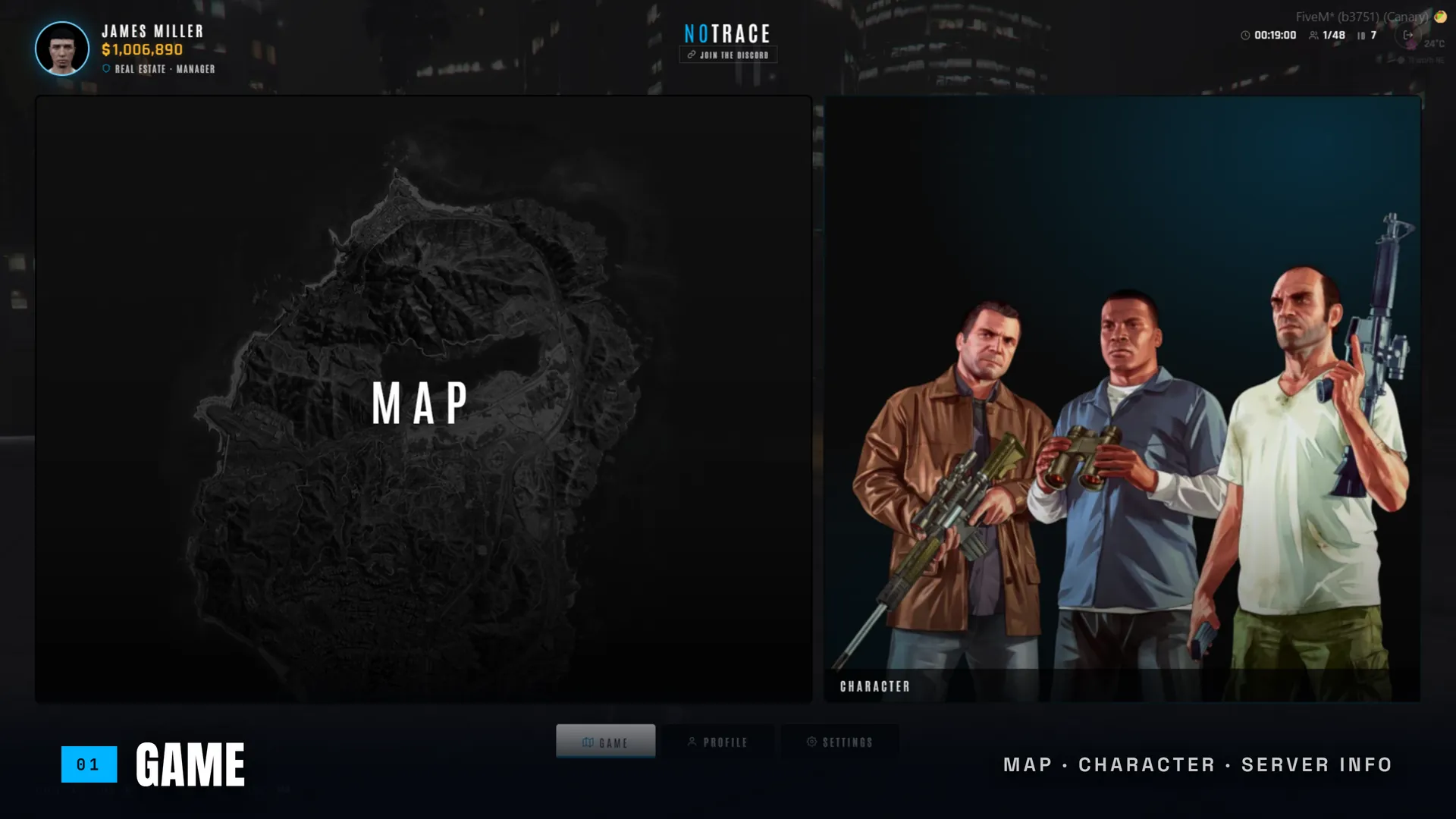
A Home Screen, Not Just a Menu
The one screen every player opens becomes a branded hub — an interactive map and a character card over your server's identity, Discord and shop. Auto-detects ESX, QBCore, QBox, ox_core, vRP or standalone. No database.
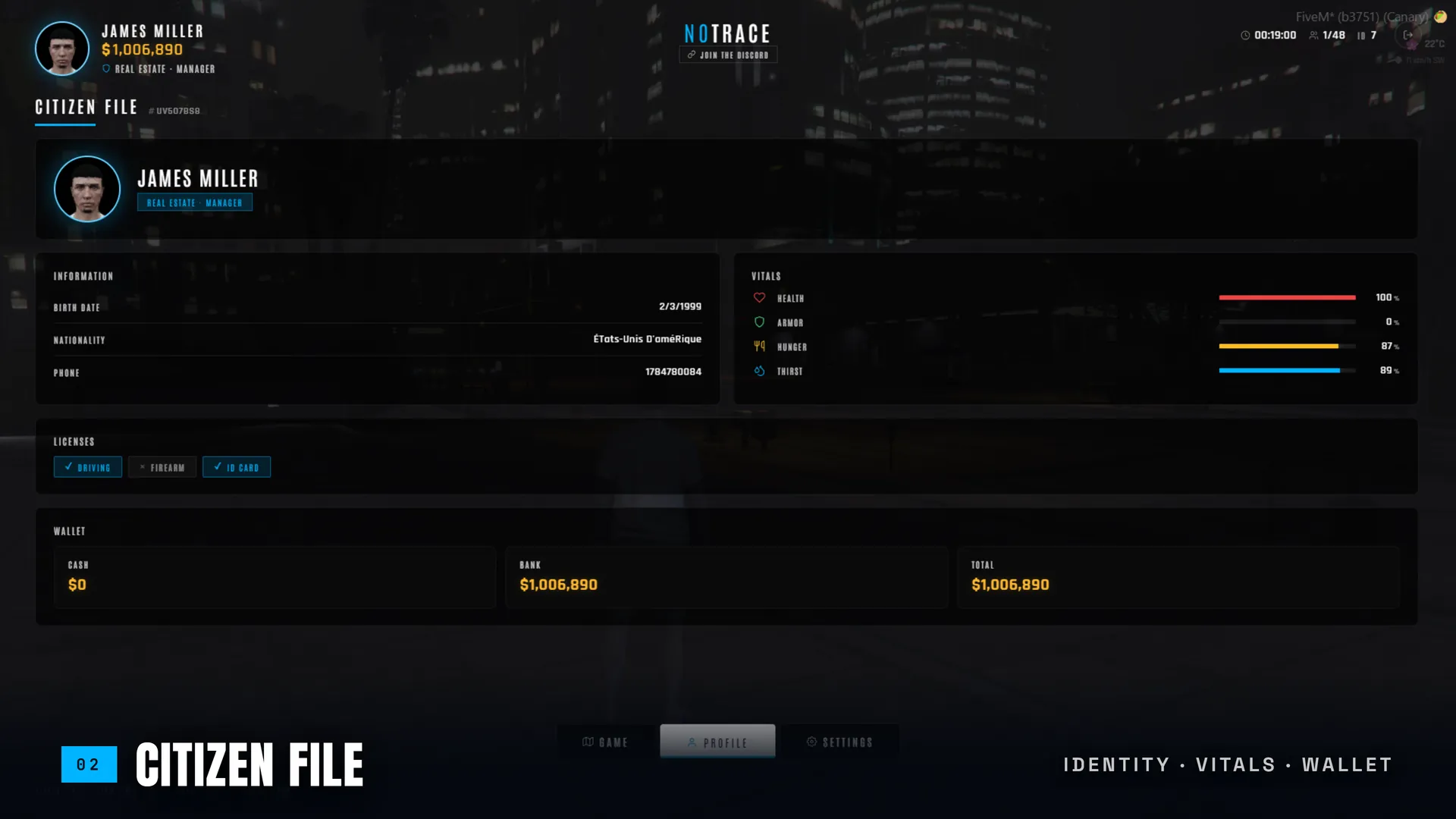
The Citizen File
Identity, live vitals (health, armor, hunger, thirst), licenses and wallet — with a live in-game mugshot taken from the player's ped. Read straight from your framework, normalised to one clean profile, no config.
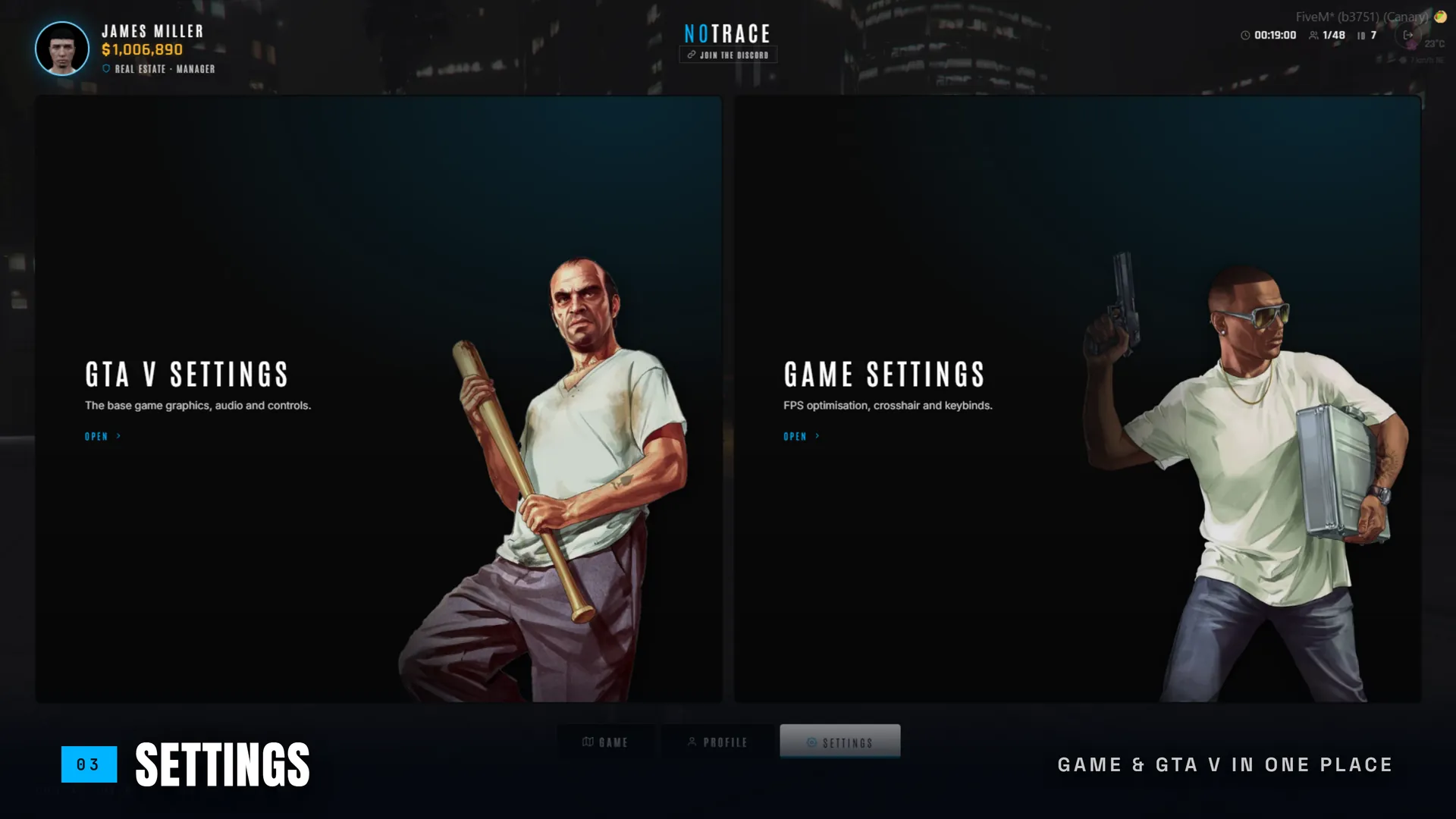
GTA Settings + Your Settings
One landing splits the native GTA V options from your own player settings — FPS optimisation, crosshair and keybinds — each behind a clean card, so nothing feels bolted on.
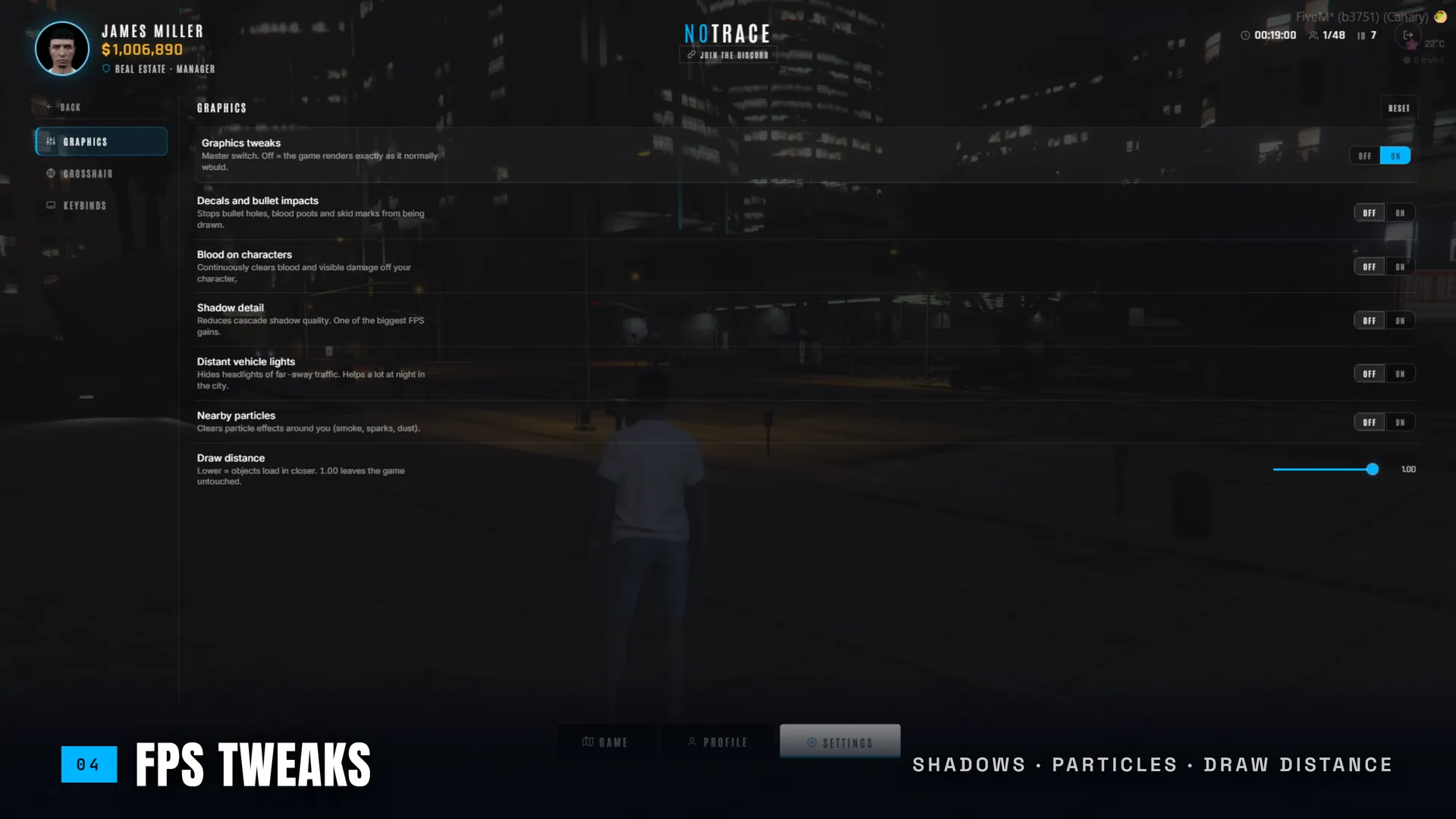
FPS Optimisation, Player-Side
Let players kill decals, blood, shadows, distant vehicle lights and particles, tighten draw distance and pick a timecycle. Saved per client in KVP, off by default, no server round-trip.
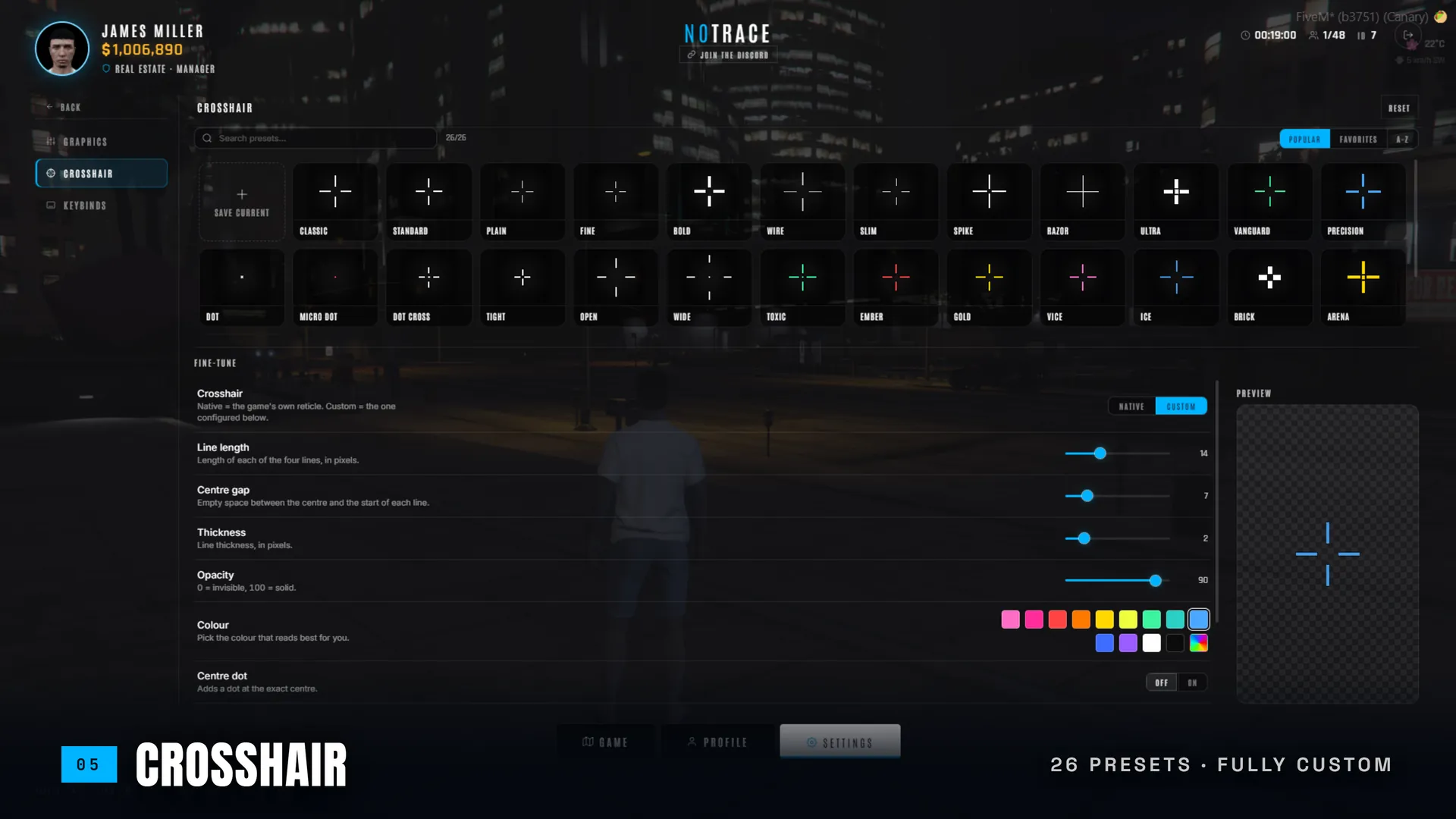
A Crosshair They'll Actually Use
A native-rendered custom reticle with a full preset browser, savable custom presets and an unlimited HSV colour picker — size, gap, thickness, dot and outline. Persists per player, renders in a few DrawRect calls.
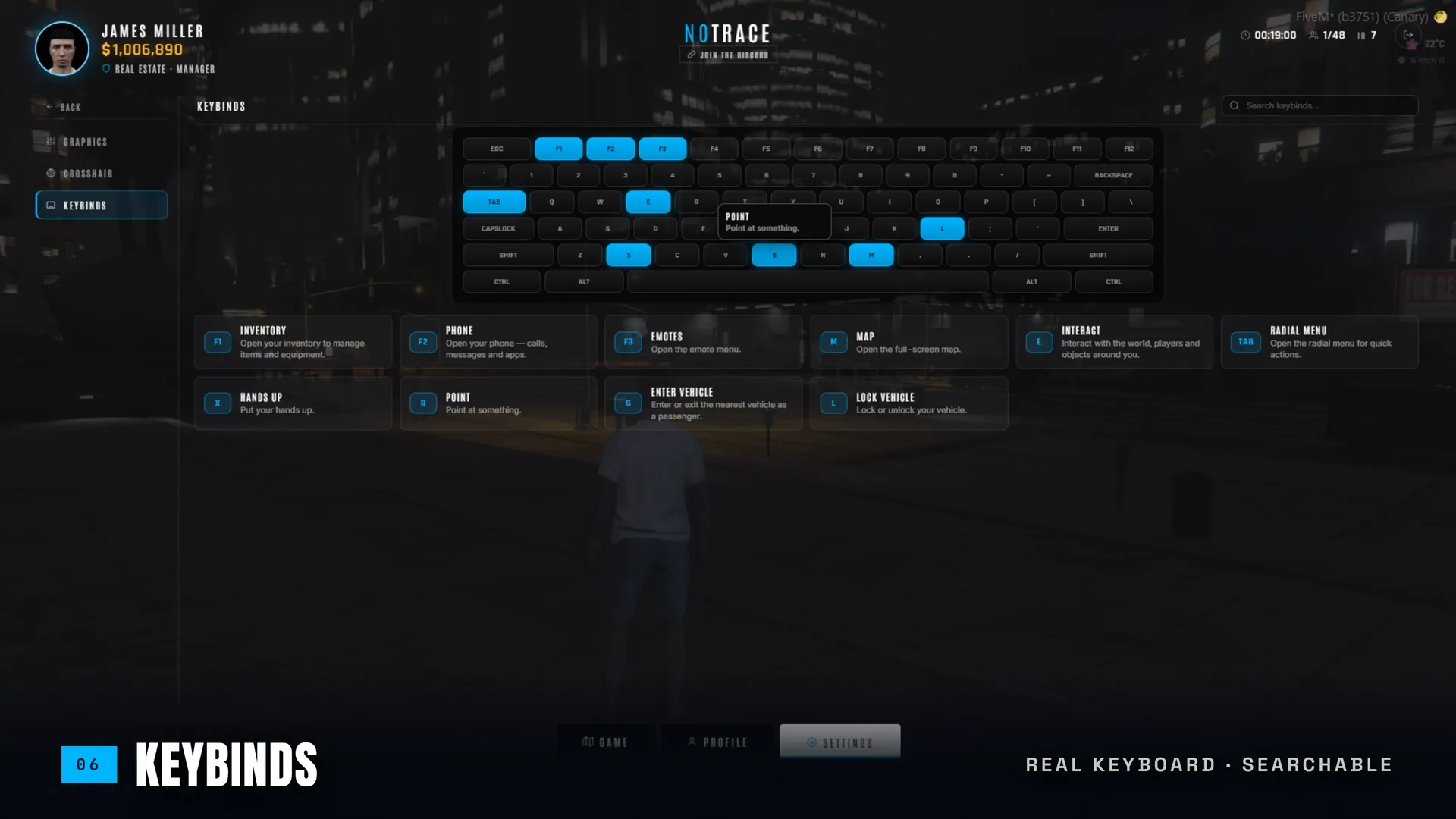
Every Key, On a Real Keyboard
A visual keyboard with your bound keys lit, each with a label, description and tooltip, plus search. Includes a QWERTY / AZERTY toggle — GTA binds the physical key, so the wrong board mislabels a whole row.
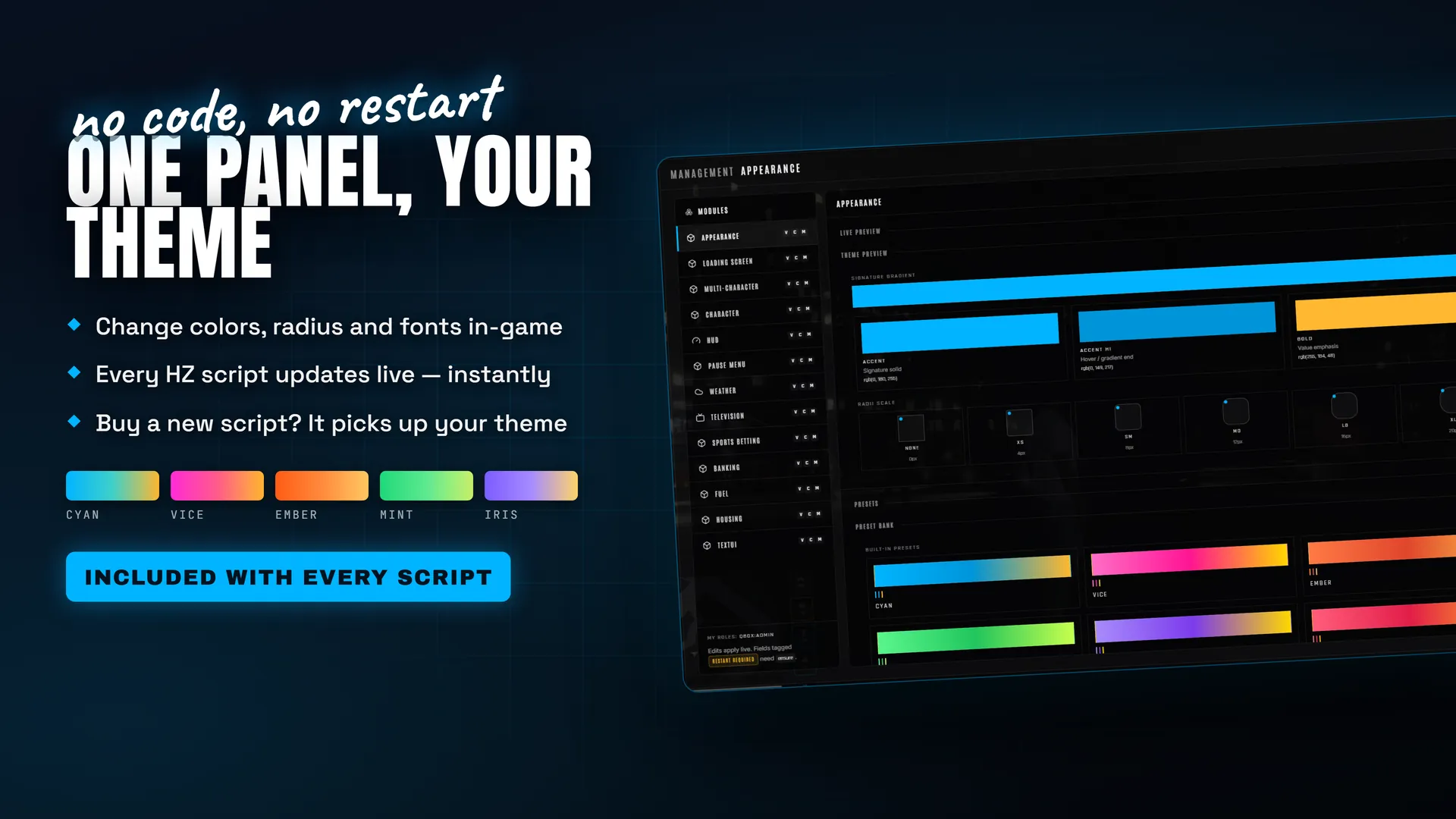
Your Theme, Down to the Native Menu
Colours, corners and fonts follow your hz_lib preset live, no restart — and even the native GTA V Settings menu is recoloured to match your server accent. Set it once and every HZ script adopts your look.
What is HZ-PauseMenu?
HZ-PauseMenu is a custom pause menu for FiveM that replaces the native GTA V Escape menu with a clean, fully-themed interface. It is the one surface every player sees on every server — so it turns that screen into a branded entry point: server identity, an interactive map, a character card, your Discord and a configurable shop link.
It is also a genuine settings hub. Players get a citizen file (identity, live vitals, licenses and wallet with an in-game mugshot), FPS optimisation toggles, a custom crosshair with presets and an unlimited colour picker, and a keybinds board drawn on a real keyboard. All of it follows your server theme — down to recolouring the native GTA V Settings menu.
Built to sell and drop onto an unknown server: multi-framework, no database, no hard dependency. One-time purchase, fully self-hosted.
Features in detail
Multi-framework profile, zero coupling
The citizen file is normalised from ESX, QBCore, QBox, ox_core, vRP or standalone by reading each framework directly, with hz_lib only used as a fallback for anything that could not be read. Vitals, licenses, job, birthdate, phone and wallet are resolved without you touching Lua.Player settings that persist
Graphics and crosshair settings are stored in client KVP, per machine, with no server round-trip and no SQL. FPS levers (decals, blood, shadows, distant vehicle lights, particles, draw distance, timecycle) ship off by default — a tweak the player never asked for is indistinguishable from a bug.Crosshair and keybinds
The crosshair is drawn natively withDrawRect — a preset browser, savable custom presets, and an unlimited HSV colour picker. The keybinds board lights your bound keys on the physical keyboard with labels, tooltips and search, and a QWERTY / AZERTY toggle that actually matters.
Themed to your server
Accent, corners and fonts follow the hz_lib theme cascade live. The native GTA V Settings frontend is recoloured to your accent on open and kept in sync when you change your theme.Compatibility
- Multi-framework: ESX, QBCore, QBox, ox_core, vRP — auto-detected — and full standalone.
- No database. No
ox_libdependency (compatible if present). - Optional hz_lib (free) for the live theme cascade and in-panel admin config.
- Any recent FXServer build.
Installation
- Drop
hz_pausemenuinto your resources folder. - (Optional) ensure
hz_libbefore it for the theme and admin panel. - Add
ensure hz_pausemenu. - Reconnect.
Performance
HZ-PauseMenu sits around 0.06 ms idle — roughly 0.4% of a single 60 FPS frame. The only always-on cost is the per-frame input capture that redirects Escape to the menu, which is inherent to replacing the pause menu. Player settings are read once from KVP, and the NUI ships as a pre-built, subsetted bundle.
Frequently Asked Questions
Complete your setup
These scripts share hz_lib — they install and configure together.