HZ-Fuel
Real pumps, a talking attendant and a fuel delivery job
Excl. tax · calculated at checkout
HZ All-Access
$27.99/ month
HZ-Fuel plus 11 other HZ scripts, and every eligible new release.


- +6
Access lasts as long as your subscription. Excl. tax.
One purchase covers every server on your Cfx.re account.
Compatibility & Specs
ox_libhz_lib (free - recommended)Fully configurable
Every setting is in an open config file, not encrypted, and each one is explained in the docs. The main ones also change in game from /hzpanel, live, with no restart.
- Prices per fuel grade, EV charging and jerry cans
- Card or cash, which account pays, or free fuel
- Consumption per vehicle class or model
- Tank sizes, diesel and electric vehicle lists
- Delivery job: pay, deposit, stocks and truck
- Blips, command names, admin rights, notifications
- Stations, pump models and 19 languages
Product Features
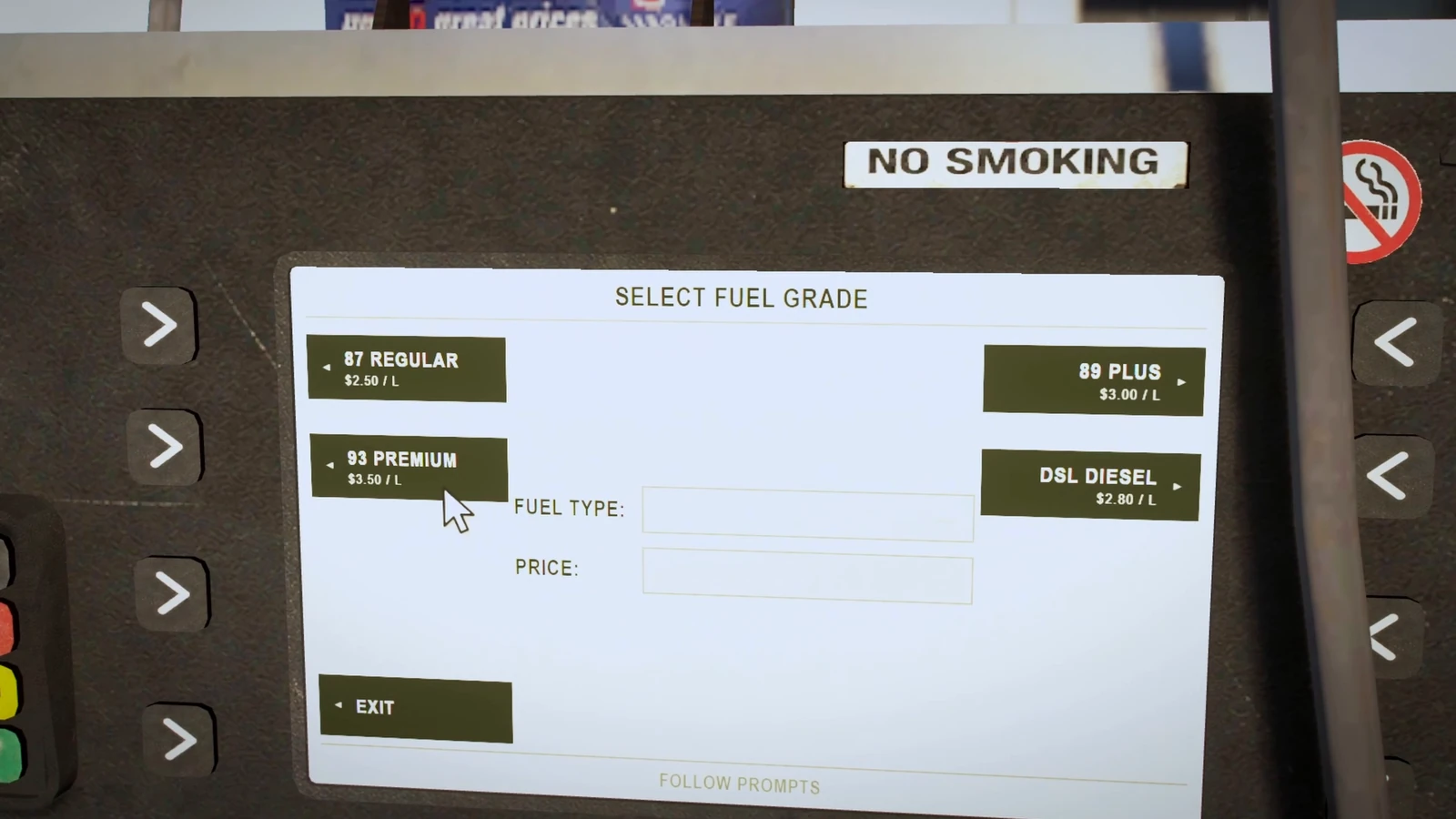
A REAL SCREEN ON EVERY PUMP
Pumps With Their Own Screen
Every modern pump shows its own live screen on the prop: pick the grade, the amount, watch the litres and the price roll. Players use it with the game's cursor, right on the pump.
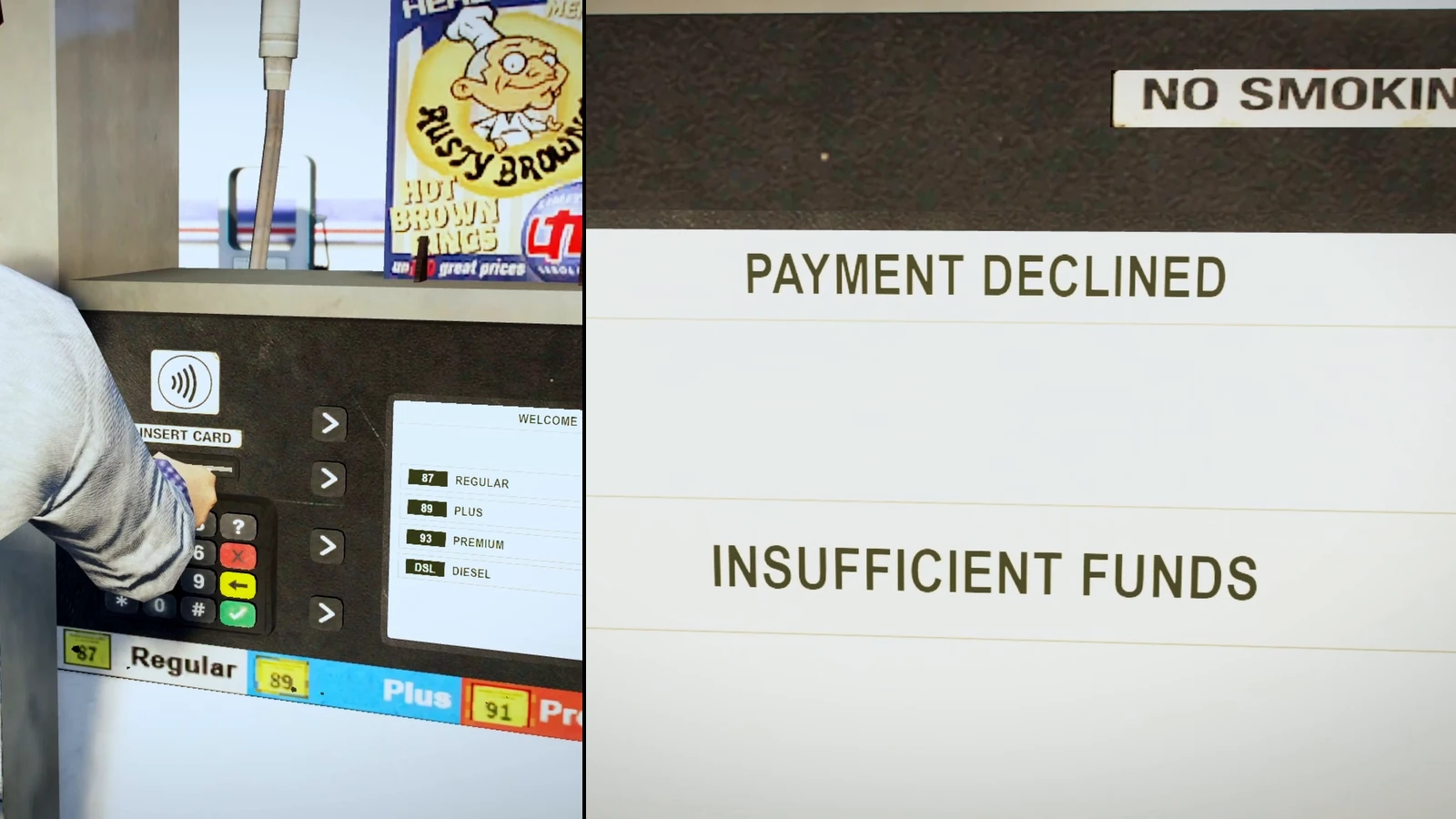
PAY BY CARD AT THE PUMP
Card at the Pump
The player slides his bank card into the pump's slot before filling up. No money on the account and the pump says so: payment declined, no fuel.
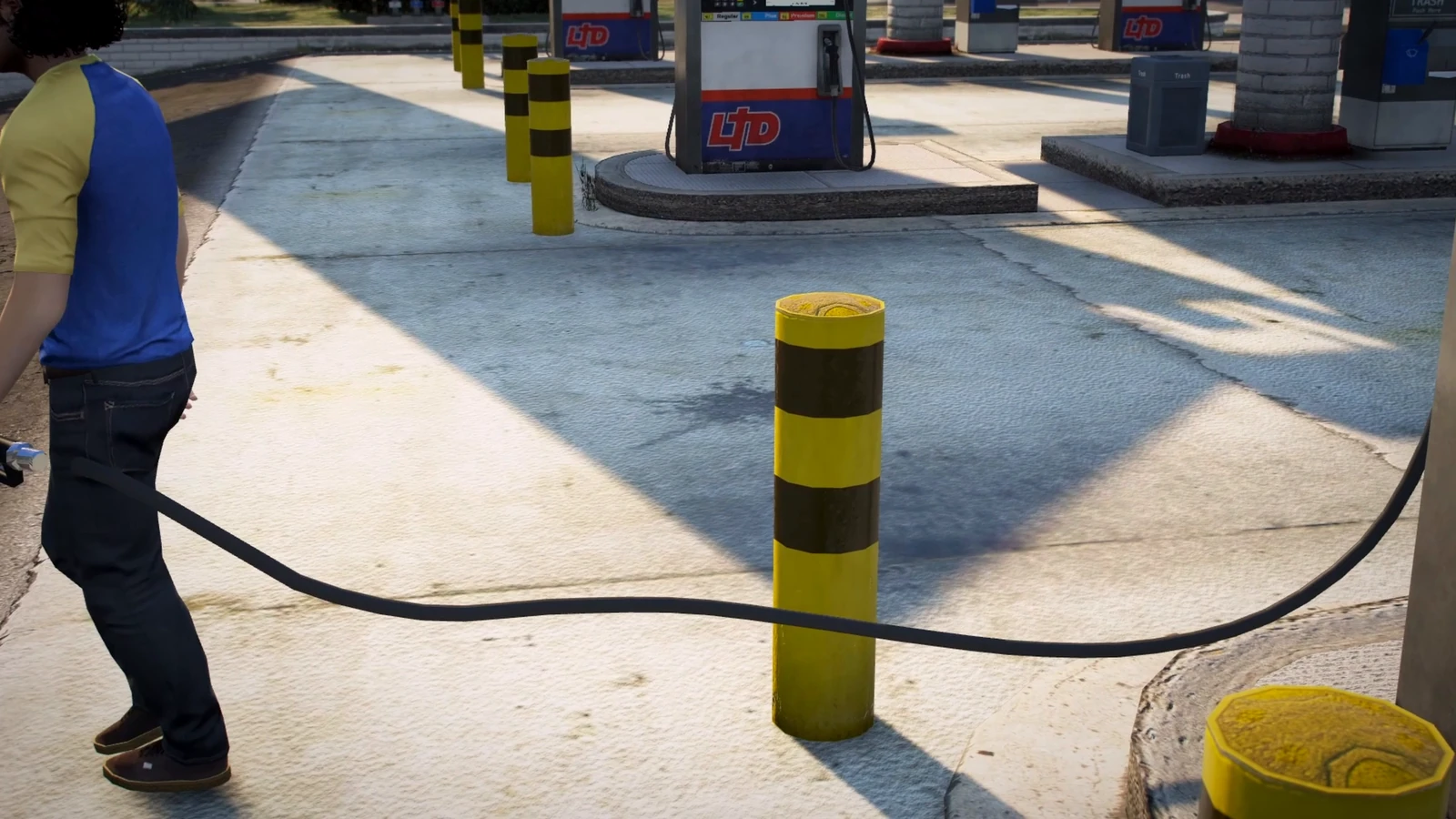
THE HOSE BENDS, DRAGS AND CATCHES
Real Hose Physics
Take the nozzle and the hose follows: it lies on the ground and bends around posts and bollards. Every pump side has its own hose.
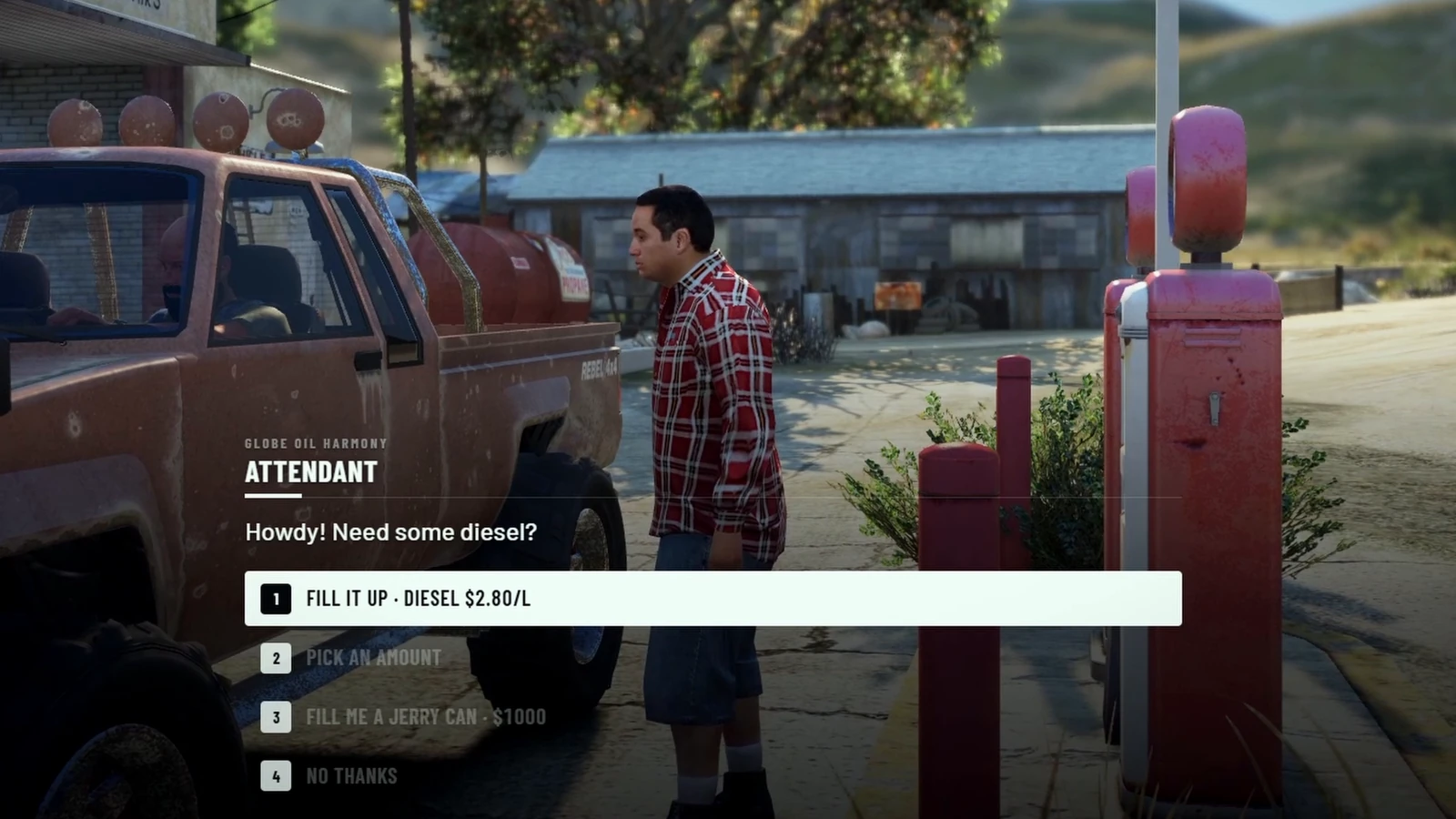
THE ATTENDANT FILLS IT UP FOR YOU
Old Stations, With an Attendant
Country stations keep the game's old pumps and rolling counters. An attendant greets you with his own voice, fills the car himself and is paid in cash, hand to hand. He sells jerry cans too.
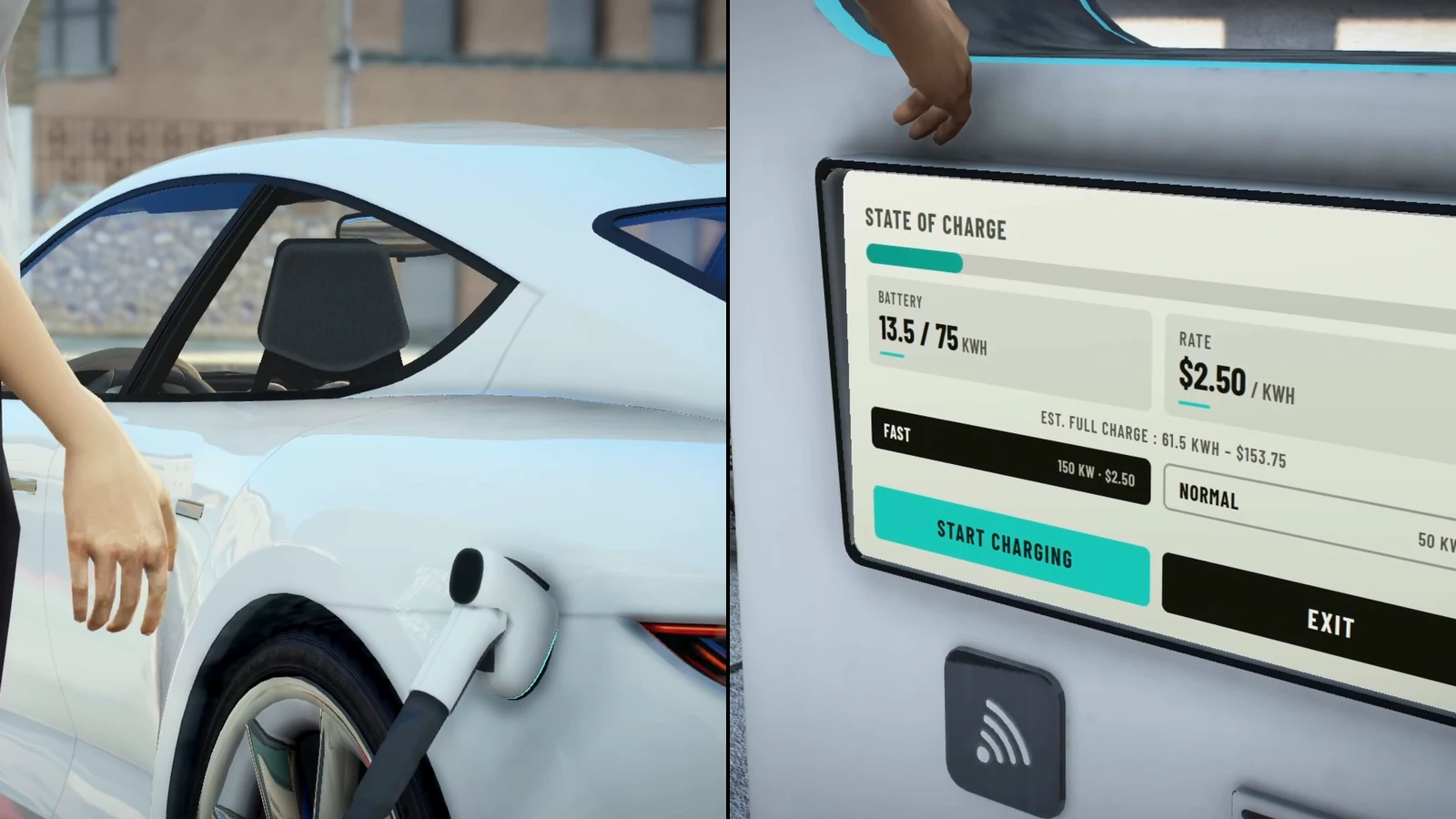
PLUG IN, TAP YOUR CARD, CHARGE
Electric Charging
EV chargers with a real cable and plug, a fast and a normal rate, and their own screen showing the state of charge. Players pay contactless with their card.
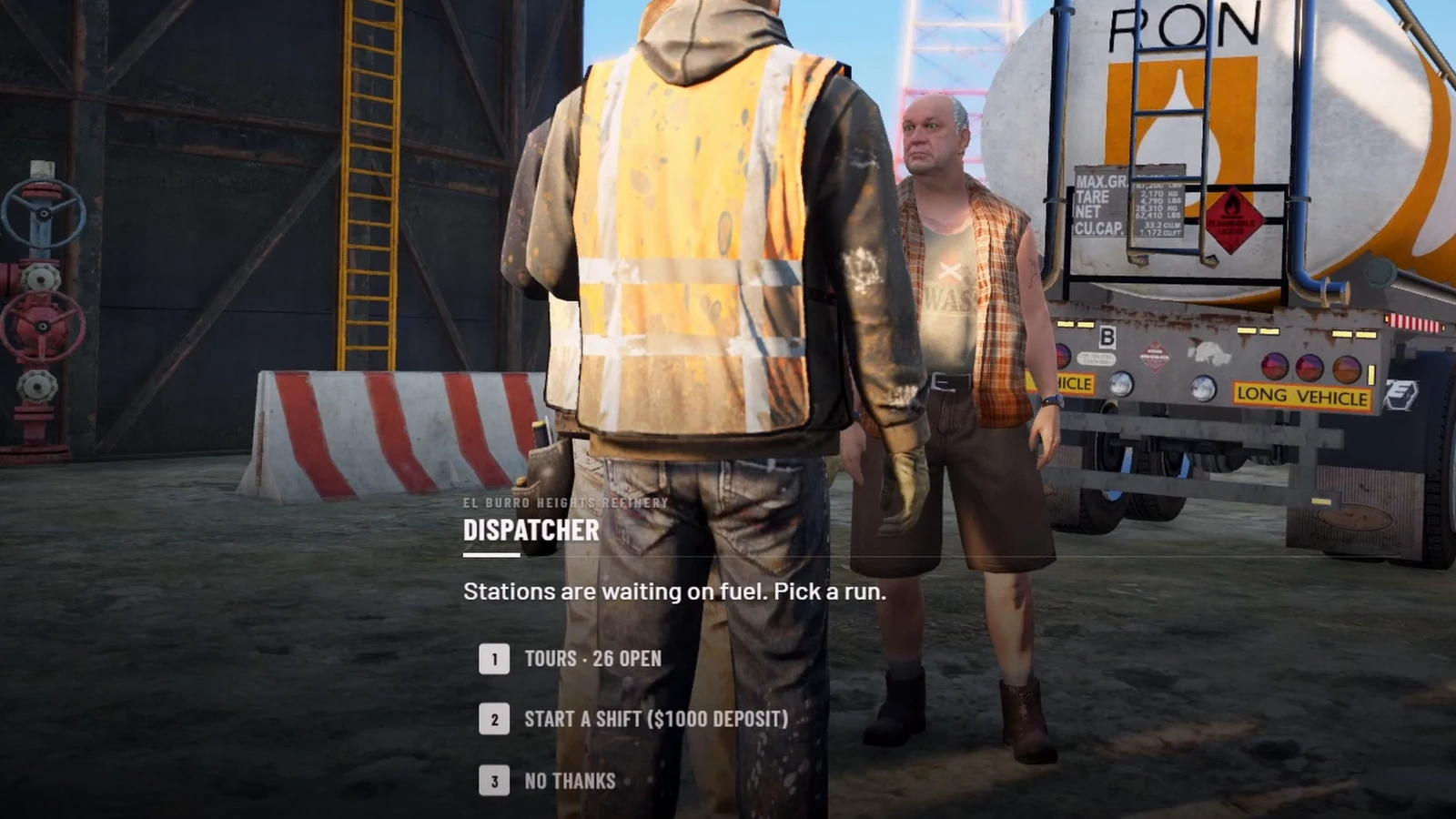
THE DISPATCHER HANDS YOU THE TRUCK
A Fuel Delivery Job
At the refinery, the dispatcher tells you which stations are short and hands you a tanker. Stations sell what was really delivered, and ask for a delivery when they run low.
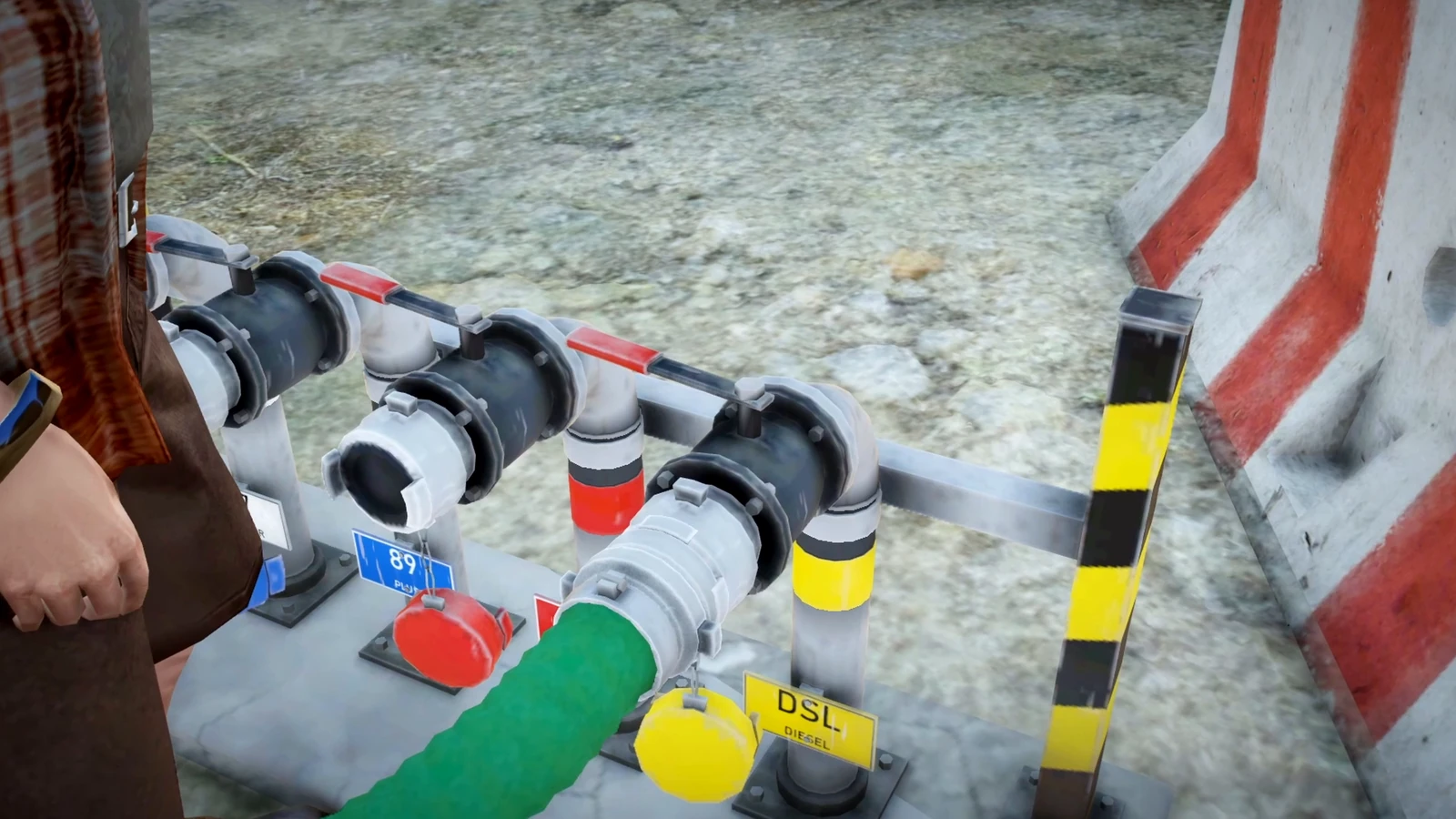
HOOK UP, FILL THE TANKER
Load at the Refinery
Connect the tanker to the loading rack by hand, the yard hand confirms you're hooked up and the tanker fills up, litre by litre.

A REAL TANKER RUN, REFINERY TO STATION
Drive the Tanker
Drive the truck and its trailer to the station, wherever it is on the map. The GPS points the way and the next step stays on screen.
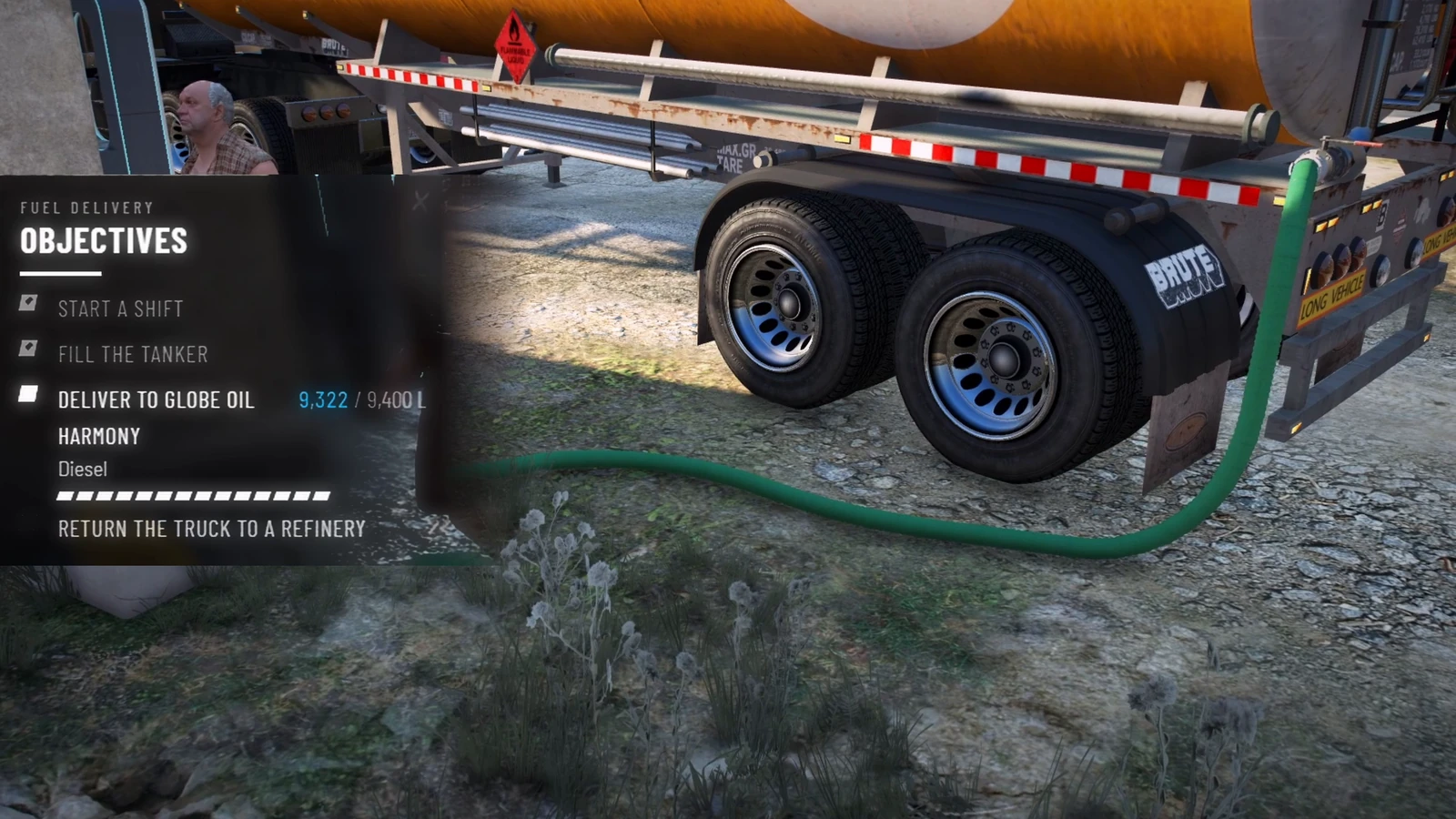
THE OBJECTIVES TRACKER FOLLOWS EVERY STEP
Unload and Get Paid
Plug the hose into the station's fill point and watch the litres go in on the objectives tracker. Bring the truck back and get paid for the litres and the distance.
What is HZ-Fuel?
HZ-Fuel is a complete fuel and EV charging system for FiveM. Players walk to the pump, slide their card into its slot, pick a grade on the pump's own screen with the mouse cursor, take the nozzle and carry it to the car while the hose follows them. Four fuel grades have their own prices and consumption, and trucks and buses only take diesel.
Around that, a whole fuel economy: 26 electric chargers with their own screen, ten country stations where an attendant fills the car and is paid in cash, jerry cans, and a fuel delivery job that keeps every station supplied.
It works on ESX, QBCore, Qbox, ox_core or standalone, and drops in for LegacyFuel, ox_fuel, qb-fuel, cdn-fuel and ps-fuel: the scripts that called them keep working without an edit.
Why refuelling deserves more on FiveM
Most fuel scripts are a progress bar next to a pump. Players hold a key, the gauge goes up, money goes down, and nobody remembers it. Yet every player refuels several times a session: it is one of the most repeated actions on a roleplay server.
HZ-Fuel makes that moment a scene. The card in the slot, the screen, the hose dragging on the ground, the attendant who tells you he only sells diesel, the tanker driver who refilled the station you are using. It gives your server a job with a real purpose, and it does it without breaking the scripts you already run.
Features in detail
Pumps with a live screen
The 17 modern stations get pumps with a working console: the price board when nobody is there, then the grade, the amount (20 L, 40 L or full by default) and the running total, litres and price per litre while fuel flows. Players use it with the mouse cursor. The fuel band lists 87 Regular, 89 Plus, 91 Premium and DSL Diesel. A bank card goes into the slot first and comes back out at the end.A real hose and nozzle
The nozzle comes off the pump and the hose follows: fixed length, bends, sags and rests on the ground, and reels out as the player walks. Walk too far and the nozzle drops. The nozzle finds the filler cap of each vehicle, cars, trucks with side tanks and bikes, and other players see the nozzle and the hose and hear the pump.Four fuel grades and diesel-only vehicles
Regular, Plus, Premium and Diesel, each with its own price and consumption multiplier. Trucks, buses, construction, farm and military vehicles only take diesel; every other vehicle, add-ons included, runs on petrol. The screen greys out the wrong fuel, and the server refuses it too.Electric charging
26 chargers at stations across the map. Take the plug, plug it into the car, tap your card on the contactless reader, choose fast or normal charging, and follow the state of charge, the energy and the total on the charger's screen.Country stations and their attendant
Ten stations keep the game's old pumps, with rolling counter drums and a bell every gallon. An attendant waits by the pumps. Talk to him and he offers to fill it up, an amount, or a jerry can, in the hz_lib dialogue box and out loud, in English or French. He fills the car himself, checks you have the cash first, stops at what you can pay, and takes the notes hand to hand. Everyone around sees the scene.Jerry cans
Buy or refill one at a modern pump: your character sets it down and fills it with the nozzle. Or let the attendant fill a new one for you. Works with ox_inventory, qb-inventory, qs-inventory, codem, tgiann, origen, core_inventory, hz_lib and ESX loadouts, and any other inventory through three functions in the config.Fuel delivery job
Every station holds a stock of each fuel, drained by players and NPC customers. Members of thefueldelivery job take a tour from the refinery dispatcher, load a 12,000 L tanker, plug the hose into each station's fill risers and get their payslip when they bring the truck back. Pay, demand, idle time, caps and automatic restocks are all in the config, with an admin stock menu and a Discord log. The job is created for you on QBCore, Qbox and ESX.
Drop-in replacement
exports['LegacyFuel']:GetFuel, the qb-fuel, cdn-fuel and ps-fuel exports, ox_fuel's payment hooks and the fuel statebag are all answered. Scripts that check whether LegacyFuel or ox_fuel runs find it. HZ-Fuel also has its own client and server exports for fuel, prices, stations and stocks.
Compatibility
- Frameworks: ESX, QBCore, Qbox, ox_core and standalone, detected on their own.
- Requires ox_lib. hz_lib (free) is recommended for the dialogue box, the delivery objectives and the dispatch tablet.
- Prompts from HZ-TextUi, or ox_lib's text UI. No target script needed.
- Replaces LegacyFuel, ox_fuel, qb-fuel, cdn-fuel and ps-fuel. Remove the old one.
- No database.
- Maps that replace the game's pumps with their own model need the game models back: a guide ships with the resource (Gabz ESB LTD covered; Gabz Harmony and Fire Department work as they are).
Installation
- Drop
hz_fuelinto your resources folder and remove your old fuel script. - Add
ensure hz_fuelto yourserver.cfg, after ox_lib, your framework, your inventory and hz_lib. - Set your prices in
config.luaand restart the server.
Performance
Pump screens, hoses and charger cables only exist around the player, and the fuel level is sent to other players in batches rather than every second. Station stocks and jerry can levels are saved by the server itself, with no database.
Frequently Asked Questions
Complete your setup
These scripts share hz_lib — they install and configure together.